Showing posts with label FREE GPRS. Show all posts
GET 3G SPEED FOR AIRTEL NEW PROXY TRICK
Guys as we know pd proxy trick was recently blocked all over india and many site in Internet providing fake idea that its is working with port 9201,Ha ha...Here gudtricks provide you an advanced proxy trick....Just try on you can stream youtube at 3g speed and browse unlimited....Not working with Idm :(....
Go to your browser option>advance>setting>proxy setting manualy put proxy and port mention here..friends plz check and reply here it work for you or not, thanks.
Mozilla Firefox ,chrome and operamini mobile Users:
Here is given below proxy
APN= airtelgprs.com
PROXY=91.143.83.139
PORT=80
HOME PAGE= http://fb.me/11010101.php?u=http://www.google.com
Enjoy with 3g.Thank you now add your valuable comments below.
AIRTEL FREE GPRS LATEST WORKING PROXIES PC MOBILE 2012
Here are the latest working proxies for both pc and mobile with this you get free gprs easily you can book mark this page for instant access all proxies are tested by gudtricks team all over india and they are working fine.
For PC users: just make below given proxy and port settings in your web browser like FireFox,chrome etc in advanced settings.
For Mobile users: just make these settings in your connection settings.
Trick (27-Jan-2012):(support youtube too)
Proxy: sneakme.net or 208.77.23.4 port: 80
Home Page: fb.me/index.phpTrick (27-Jan-2012):(support youtube too)
Proxy: 174.142.196.230 or 85.214.50.141port: 80
Home Page: fb.me/cgi-bin/nph-proxy.cgi/000000A/http/google.com
Trick (26-Jan-2012):
Proxy: 67.117.201.129 port: 80
Home Page: fb.me/cgi-bin/nph-proxy.cgi/000000A/http/google.comTrick (12-Jan-2012):
Proxy: 66.232.100.247
port: 80
Home Page: http://fb.me/ or http://live.airtelworld.com or http://m.twitter.com
Trick (11-Jan-2012):
Proxy: 188.165.231.191
port: 80
Home Page: http://fb.me/ or http://live.airtelworld.com or http://m.twitter.com
Trick (5-Jan-2012):
It is Youtube trick, By which you can Surf Youtube Videos in PC free with Airtel. For trick Go Here
Trick (27-Dec-2011):
PROXY=176.31.222.34
PORT=80
HP=fb.me
PORT=80
HP=fb.me
Above trick is best for west bengal users, fastest too
Trick (23-Dec-2011):
Ip/Proxy : 92.48.64.150
Port: 80
Apn: airtelgprs.com
Home Page: http://fb.me/ or http://live.airtelworld.com or http://m.twitter.com
Port: 80
Apn: airtelgprs.com
Home Page: http://fb.me/ or http://live.airtelworld.com or http://m.twitter.com
Trick (22-Dec-2011):
Apn : airtelgprs.com
Homepage : http://59.160.229.40/servlet/ redirect.srv/sruj/snvrabu/smno/p1/m?hl=en
Proxy Server : kproxy.com
Port : 80
Trick (29-Nov-2011):
APN=airtelgprs.com
PROXY=68.233.235.54
PORT=80
Homepage=fb.me
PROXY=68.233.235.54
PORT=80
Homepage=fb.me
Now Just Open your Home page and a site will open and then Enter your desired URL there.
This above trick will 100% working in all states of India including West Bengal, Maharashtra, New Delhi etc where most of trick not works.
Airtel Free Gprs with opera mobile browser with symbian 11.5
Hello Users, Those having Symbian S60 phones, They must know about Opera Mobile S60. This Opera Mobile is same as Your Default browser. This Opera Mobile is Different from Opera Mini symbian. Although Both are Symbian Version but use of Proxy is Different on both.
How to Download Opera Mobile 11.5:
Just go to http://m.opera.com using your mobile phone and a download option will be there. Just Download it and read below for trick.
Applying Airtel Tricks on Opera Mobile s60:
As i told Earlier Opera Mobile is same as Your Default Mobile browser, But fast as compared to it. It doesn't use proxy server like Opera Mini uses server4.operamini.com etc, Although Opera Mini symbian uses it. Hence, the tricks which you are using for Free Gprs in Default Browser will be same for Opera Mobile.
How to Use Airtel Free Gprs in Default Browser/Opera Mobile:
I have collected many proxy tricks which is working all over India, You can easily apply to use Free Gprs in Opera Mobile. Go Here to choose one proxy among all working and Follow instructions given there.
Need any type of Help using Free Gprs in Opera Mobile? Just Comment Below :)
UNINOR LATEST GPRS TRICKS
Viola a new gprs trick for uninor working 100% in all states speed is decent you can try all by yourself and reply here if it is working for you already tested in many states and result is successful
Create A New Profile In Your Mobile
TRICK 1
Create A New Profile In Your Mobile
Name:uninorgprs
Apn: uninor
Proxy: 10.58.10.58
Port: 8080
HomePage: wap.myuninor.in.php.t9space.com
Save Settings...
That's It.Then Restart Your Mobile.Your Uninor Free Gprs Is Ready Now.You Can Now Browse Unlimited With This Uninor Free Gprs Trick.
TRICK 2
Now all you have to do is download Any Opera Mini Handler...
Then Make Above Setting As Default In Your Mobile.
Then Run Opera Handler.
On The Handler Menu,Scroll Down Then Choose "HTTP".
On The Proxy Server Field Type "122.170.122.198.beta.opera-mini.net"
Now Run Opera Mini Enjoy Unlimited Browsing With Uninor Free Gprs Tricks 2012.Hope both these tricks are working for you enjoy happy browsing and downloading .
Aircel 3g tricks 2012
Hi friends,I wish all airecel users who eagerly waiting for new Gprs / 3g hack, can use this new 2012 hack. You can say it is a modification of the hack that was done by our experts last year.
So here is the trick to use Aircel 3g in 2g data...
First of all recharge your no. by any 2g plan in which u get 2g uses in your 2g sim...
After that convert your sim to 3g by sending START 3G and send it on 121…
First of all recharge your no. by any 2g plan in which u get 2g uses in your 2g sim...
After that convert your sim to 3g by sending START 3G and send it on 121…
For more tricks and tips visit Hackingworld.in
[Note that --- You should not be already subscribed to 3g before recharging 2G Plan. Otherwise your 2g plan will not be recharged. And if you are already subscribed to 3G mode, then unsubscribe first by simply typing
STOP 3G
and send it to
121.
That's done!!!]
One thing more don't use this trick in Roaming Condition]
Now connect your modem to your pc and set EDGE/GPRS network and then Go to start and thenconnect your internet from there...
after connecting open any page and then change your network EDGE/GPRS to HSPA/UMTS (it will only work when you use "connect to" opt. when in connecting on startup)
And after that enjoy 3g uses in 2g plans…
Note:
According to Some aircel subscribers it is not working in Aircel unlimited plans and IdeaNetsetter or that kind of external modem..
>>>Some key ponts for Aircel subscribers*---
Activate 3g--- START 3G to 121
Deactivate 3g--- STOP 3G to 121
Dont recharge 2g packs if you are already subscribed to 3G Mode [first deactivate then recharge]
*These tips are applicable to Indian subscribers only.
Now connect your modem to your pc and set EDGE/GPRS network and then Go to start and thenconnect your internet from there...
after connecting open any page and then change your network EDGE/GPRS to HSPA/UMTS (it will only work when you use "connect to" opt. when in connecting on startup)
And after that enjoy 3g uses in 2g plans…
Note:
According to Some aircel subscribers it is not working in Aircel unlimited plans and IdeaNetsetter or that kind of external modem..
>>>Some key ponts for Aircel subscribers*---
Activate 3g--- START 3G to 121
Deactivate 3g--- STOP 3G to 121
Dont recharge 2g packs if you are already subscribed to 3G Mode [first deactivate then recharge]
*These tips are applicable to Indian subscribers only.
This Post has been Written by:Sunil ThakurVisit Our site: hackingworld.in
Airtel UC Browser 8.2 Handler Free Browsing and Downloading
The new UC Browser v 8.2.0.116 Beta Chinese version released for Symbian, Android and Java. The unofficial English translated version now available for Symbian, Android and Java. UC Browser V 8.2.0.116 bring new UI related improvements, features and function optimization to perform better and faster.
Airtel Modded UCweb 8.2 Handler For All India with Downloading Supported:
Step 1: Make these Settings in your phone or make prov file.
Proxy=190.129.10.245Port=80Apn=airtelgprs.com
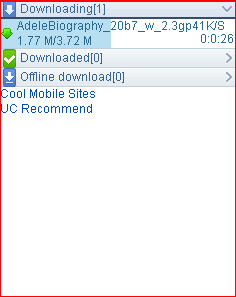
Step 2: Now Open Uc Browser provided by me (attach download)
Step 3: Run by Step1 settings, It will successfully initialized, Now you can browse freely.
Step 4: Remove http:// from download link before downloading a file. That's it doing this Your file will start downloading.
Original UC Browser 8.2 Translated are:
UC Browser 8.2.0.116 English S60v3 India .sis
UC Browser 8.2.0.116 English S60v5 India .sis
UCBrowser-v8.2.0.116_Android .apk
Download UC Browser 8.2 Airtel Modded with Above Settings:
UC Browser 8.2 Modded by gudtricks.in .jar
This UC Browser 8.2 is Modded by gudtricks . If you find any difficulties in any Steps, Don't hesitate to comment below. I will try my best to resolve your problem.
LATEST BACK QUERY FOR AIRTEL FREE GPRS 2012
Hello all, in this post you will find all working back queries of Airtel. You can use these in any Handler software like Opera mini handler, Uc Browser Handler , Nimbuzz handler etc.
HOW TO USE BACKQUERY?
It is just opposite to front query you have to use it after every url
1. ?a3.twimg.com/thegsmtricks
2. ?a3.twimg.com/signup
3. ?si0.twimg.com/app?
4. ?top.twimg.com/shiri?
5. ?upload.twimg.com/cini?
6. ?mega.twimg.com/speed.net
7. ?a3.twimg.com/vivek
8. ?0.facebook.com/ (EverGreen)
I will Update this Post whenever I'll find new backquery.
These all are working perfectly in Delhi and Ncr Region. You guys are requested to comment your state name, whether its working or not.
LATEST FRONT QUERY FOR AIRTEL FREE GPRS 2012
Just use default Mobile office settings also you can use this front query in mobile with handlers like opera mini ucweb nimbuzz etc.Also you can use this with pc ,For free browsing and downloading
How to browse using front query?
just put front query before the url you want to browse and start free browsing
eg Let us try this front query to browse www.google.com 125.21.241.25.lodgeus.com/cgi-bin/nph-get.cgi/000000A/http/
Its working in Delhi,Maharashtra ,dehradoon,Assam,bihar,a.p and mostly all states.
Enjoy Free Unlimited Browsing and Downloading.
How to browse using front query?
just put front query before the url you want to browse and start free browsing
eg Let us try this front query to browse www.google.com 125.21.241.25.lodgeus.com/cgi-bin/nph-get.cgi/000000A/http/
This front query can be browsed by 125.21.241.25.lodgeus.com/cgi-bin/nph-get.cgi/000000A/http://www.google.com .
working Front queries
125.21.241.25.lodgeus.com/cgi-bin/nph-get.cgi/000000A/http/
125.21.241.25.anongoogle.com/cgi-bin/nph-get.cgi/000000A/http/
125.21.241.25.anonlove.com/cgi-bin/nph-get.cgi/000000A/http/
125.21.241.25.gowingo.com/cgi-bin/nph-get.cgi/000011A/http/
125.21.241.25.scarewar.com/cgi-bin/nph-get.cgi/000000A/http/
125.21.241.25.anonadult.com/cgi-bin/nph-get.cgi/000000A/http/
125.21.241.25.anonyahoo.com/cgi-bin/nph-get.cgi/000000A/http/
125.21.241.25.leelook.com/cgi-bin/nph-get.cgi/000000A/http/
125.21.241.25.foxyn.com/cgi-bin/nph-get.cgi/000000A/http/
122.170.122.214.usethisproxy.appspot.com
122.170.122.214.suspendsor.appspot.com
122.170.122.214.howtodoita.appspot.com
122.170.122.214.pinball-related.appspot.com
122.170.122.214.for-language.appspot.com
122.170.122.214.bytearrayr.appspot.com
122.170.122.214.ad-placement.appspot.com
122.170.122.214.proxy4fun.appspot.com
122.170.122.214.scroll-down.appspot.com
122.170.122.214.surf401.appspot.com/
122.170.122.214.proxy-py.appspot.com
122.170.122.214.sameissue.appspot.com
122.170.122.214.proxypy53.appspot.com
122.170.122.214.theairteltricks.appspot.com
Its working in Delhi,Maharashtra ,dehradoon,Assam,bihar,a.p and mostly all states.
Enjoy Free Unlimited Browsing and Downloading.
VODAFONE FREE GPRS TRICK 2012
Hi friends it is the first time gudtricks posting a vodafone free gprs trick tat also a working one,It is just like official trick,We had got a major loop hole from Vodafone which allowed us to activate the ¨DCREDIT¨ without losing our balance. But in last day it got badly struck by the company and they immediately blocked that. But don´t worry. We got a brand new trick for vodafone which gives us 2 gb for 1 month.
VODAFONE FREE GPRS TRICK 2012
This is checked widely in south India and don know whatÅ› the condition in northern parts. So,this is another loop from them and just activate this offer and forget configuring proxy or handlers(as we do in airtel). This trick will work as paid offer and we can use it without limitation. Keep try and do comment.
Send ¨BONUS 149¨ to ¨144¨.
And enjoy the whole web experience with high speed free internet.
TATA DOCOMO 3G TRICKS 2012
Get free 3g of 500MB the trick is simple as it is,Follow The Steps and Use Free 3g on Your Mobile and
PC.all you have to do is:
Sms WINDOWS to 54321 OR Sms ANDROID to 54321
you will get reply Hi! Thank you for requesting for activation of free 500 MB data offer valid for 6 months. We shall revert within 48 hours.
Also sometimes you will recieve this sms in reply :
Your request received
Wait for 48 hours or till you get a confirmation message , After 48 hours you can start enjoying your free 500MB gprs for free, no cost , no risk, no gprs pack required.
Incoming search terms
Tata docomo 3g trick 2012
tata docomo 3g speed in 2g plan
Tata docomo free 3g trick february
tata docomo free gprs
Incoming search terms
Tata docomo 3g trick 2012
tata docomo 3g speed in 2g plan
Tata docomo free 3g trick february
tata docomo free gprs
IDEA FREE GPRS TRICK GET FREE GPRS ON YOUR COMPUTER
CREDITS:
Name:Amal SunnyPhoto:Not attachedplace:vattiyoorkavu,keralaemail:not attached
This trick was shared by Amal sunny from kerala through [share your tricks] all credits for this trick goes to Amal sunny,Thank you Amal for this trick.
Here New Idea free gprs trick working fine in kerala as I have tested this here I dont know the case on others states.This is latest trick for september october.All you need to create some settings and start enjoying free gprs browsing and downloading.
IDEA FREE GPRS TRICK GET FREE GPRS ON YOUR COMPUTER
Enter settings as below for browsing below pc:
- APN - mmsc or imis
- Proxy - 010.004.042.015
- Port - 8080
- Homepage - Use home page as any one below and browse through that.
https://concealme.com
https://freemenet.com
https://flyproxy.com
https://kproxy.com
NOTE:Dont forget to put "s" after http- working with great speed also ( its work for me on higher balance but when its not work then try at low balance )
Hope you enjoyed our trick now comment below give your opinions about this trick.
Incoming search terms:
- Free idea gprs trick september trick 2011
- Free idea gprs trick october 2011
- Free gprs for idea.
- Free idea gprs trick for pc.
- get unlimited free gprs on computer idea.
AIRCEL FREE GPRS TRICK |GET FREE GPRS ON PC AND MOBILE
Hi friends,today am here with a new Gprs trick for you,I have tested it and it is working fine on my mobile and pc,so I thought of sharing It.Here is the trick follow the simple steps.
AIRCEL FREE GPRS TRICK |GET FREE GPRS ON PC AND MOBILE
FOR MOBILE PHONE USERS FOLLOW THESE STEPS
- Use Aircelwap Settings or for settings just Sms wap to 121.
- Open any of the below Given Proxies : -
0.facebook.com.php.flyproxy.com
0.facebook.com.php.kproxy.com
0.facebook.com.mebapp.com - Now you are done
FOR PC FOLLOW THESE STEPS:
- Use Aircelwap Settings.
- Configure your Browser.
Proxy: -172.17.83.69
Port: -8080
- Now Open
0.facebook.com.php.flyproxy.com
or
0.facebook.com.php.concealme.com
or
0.facebook.com.php.kproxy.com (with this you can also login to SSL Sites like Gmail and Facebook.)
Incoming search terms
- aircel gprs trick september
- aircel gprs trick 2011
- aircel free gprs on mobile.
- get free gprs on mobile for aircel
- aircel 3g aircel 2g speed
RELIANCE FREE 3G 2G TRICK | FREE GPRS ON MOBILE AND PC
Hi friends ,today I am posting a new reliance trick ,This trick is working fine every where in India all you have to do is change the proxy port settings,this trick works for both 3g and 2g like paid.Now let us try this trick.
RELIANCE FREE 3G 2G TRICK | FREE GPRS ON MOBILE AND PC
Now enter the below settings.
- Create a new accesspoint with the below gprs settings.
- Access Point Name = rcom
Proxy = 92.48.126.219 and Port : 80
If above proxy and port didnt work try the below ones
- 91.201.21.170:80
- 196.200.140.19:80
- 95.140.47.243:8080
- 46.137.190.246:80
- 93.189.5.138:8080
- 92.48.126.211:80
- 213.197.81.50:3128
- 109.235.54.59:80
- 80.87.245.65:8080
- 86.105.88.48:8080
- 78.47.47.135:3128
Now you may have doubts where to enter proxy settings just Goto
- Firefox > Tools > Options > Advance > Networks > Settings > Manual Proxy
- and edit with the above proxy settings.
Now you have done ,enjoy free gprs and in case of any complaints,just drop a comment below.THANK YOU!
Incoming search terms:
- Get 3g speed on 2g plans reliance
- get 3g speed on 2g gprs plans
- get 3g speed on 2g gprs plans reliance
- high speed internet using reliance.
- latest proxies for reliance 3g
- reliance get free gprs on pc
- reliance 3g trick september october
- reliance 3g trick 2011
GET FREE INTERNET FOR ALL NETWORK|PD-PROXY TRICK
|
Labels:
AIRCEL FREE GPRS,
AIRTEL FREE GPRS,
BSNL FREE GPRS,
FREE GPRS,
IDEA FREE GPRS,
RELIANCE FREE GPRS,
TATADCOMO FREE GPRS,
VIDEOCON FREE GPRS
USE FREE INTERNET ON PC FOR ALL OPERATORS|PD-PROXY TRICK
Here is a trick that works great for all operators.It is PD PROXY TRICK ,This Trick is working Fine In kerala as I have tested It here,but there is a limit in data usage- 200MB per day.Anyway with this trick you get high speed download around 400kbps to 600kbps,If connected on 3G network.so here is the trick.
USE FREE INTERNET ON PC FOR ALL OPERATORS|PD-PROXY TRICK
Now follow these steps to get free Internet with high speed:
- First download PD PROXYSOFTWARE from here.
- Go to https://www.pdproxy.com/signup.htm and sign up for a free account.
- verify account by checking Inbox(CHECK SPAM OR INBOX)
- Log into your new account fom there.
- Now extract the PD PROXYSOFTWARE and click on PD proxy.exe
- Select Demo server from server list and select UDP 53 in advanced settings enable parent proxy
- Enter your user name and password.
- And click connect(If the connection fails Try again ,I have tried over 10 Times to get It connected on server.)
NOTE:
- You must maintain a low balance so that operator cannot deduct your account balance.
- If you are using IDM then set speed limit to 200 kbps.
APN TO BE USED.
- TATADOCOMO- tata.docomo.internet
- AIRTEL-airtelgprs.com
Hope You enjoyed.Drop your comments below.
Incoming search terms:
- Get free internet for all network .
- get free internet for tatadocomo airtel aircel idea bsnl uninor videocon
- Get 3g speed on tatadocomo airtel aircel idea bsnl uninor videocon
- get 3g speed on 2g plans tatadocomo airtel aircel idea bsnl uninor videocon
IDEA GET FREE GPRS ON MOBILE|UNLIMITED DOWNLOADING AND BROWSING
IDEA GET FREE GPRS ON MOBILE|UNLIMITED DOWNLOADING AND BROWSING ON YOUR MOBILE
Idea is the 3rd largest mobile services operator in India, The company has won license to offer 3G services in 11 service areas, which generate over 81% of the company’s total revenue.
Today my trick is based on Idea free unlimited gprs on your mobile.This trick is working fine every where in India ,Now follow the simple steps below.
IDEA GET FREE GPRS ON MOBILE|UNLIMITED DOWNLOADING AND BROWSING
These are the steps:
- Download the handler from below.
- open any application you like(operamini or snaptu)
- Now in the handler option type the following:
- frontquery,type-z020.fma.fb.me.php.mebapp.com@
OR - z020.fma.fb.me.php.mebapp.com/power/logtyped/http/your site
- You can replace z020 with 006 or 012
- In http server-z020.fma.fb.me.server4.operamini.com
- In socket server-z020.fma.fb.me.server4.operamini.com/
- This is for opera mini ,For snaptu just type the front query.
DOWNLOAD HANDLERS FROM BELOW
Now download the browsers you like from below:
Hope you enjoyed this Idea trick.Now you can comment below.
AIRTEL TRICK -GET 3G SPEED ON 2G PLANS|SIMILAR TO TATA DOCOMO TRICK
Airtel is one of the largest service provider,with wide range of 3g plans that they offers,Airtel recently had updated its 3G plans but still normal person like me cannot afford these .The only option is their 2g plans,now let us think: HOW CAN WE GET 3G SPEED ON 2G PACKS IN AIRTEL?.
AIRTEL TRICK -GET 3G SPEED ON 2G PLANS|SIMILAR TO TATA DOCOMO TRICK
Carefully follow these steps to get 3g speed on 2g plans in airtel:
- Deactivate all Gprs plans and activate Airtel 3G.
- Activate 7 Rs 3G plan and wait for its activation
- Now use some data 2 -3MB and recharge for 98Rs 2G pack on the same day.
- After that do not use any Gprs till the validity of the 7 Rs Gprs plan get completely over.
- Now your 2G pack has converted to 3G.
- Follow the same steps when validity of 98 Rs pack gets over.
Friends hope you enjoyed this trick,Now you can comment below
AIRTEL GPRS TRICK 100% WORKING|3G|2G|GET UNLIMITED INTERNET
Airtel is one of the largest service provider in India.There are a lot of tricks to get free Internet from airtel in which one of the trick is airtel dotproxy trick.This trick is working Fine all over India.All you have to do is follow the steps below.
AIRTEL GPRS TRICK 100% WORKING|3G|2G|GET UNLIMITED INTERNET
Here are the steps :
- Use APN: Airtelgprs.com
- Now download dot proxy from Here:
DOWNLOAD DOTPROXY - Edit url modes with one of following backquerry
0:?live.airtelworld.com/wps/portal?%3f0.facebook.com/%3f0:?live.airtelworld.com/wps/portal?%3f0.facebook.com/%3fzout=1
0:?0.facebook.com/?zout=1
- leave all other blank as it is!!
Note: Use Following proxy settings in browser and download managers when you are using DotProXy. proxy: 127.0.0.1
port:8080
NOW HOW WILL YOU CHANGE PROXY SETTINGS FOR AIRTEL?
- Press ALT
- Click on Tools
- Now Select option
- Now Select Advance in pop up menu
- And select Network
- Now Click on Setting
- Now click on Manual..
- And Add Given Proxy and Port
Friends hope you have enjoyed this dot proxy trick now you can comment below.
GET FREE INTERNET ON PC |AIRTEL TRICK FOR 2G AND 3G
Here is a new trick from airtel, you must have gone through my previous tricks on airtel for those who want more tricks on airtel visit airtel free gprs.
Now we can continue with this trick.This trick is derived from an old airtel trick which is modified further to get free internet.
GET FREE INTERNET ON PC |AIRTEL TRICK FOR 2G AND 3G
In order to get free internet you have to follow these steps
- First Of All Download Freedom Client from Here .
- Then register for freedom account here
- Now Install Your-Freedom On Your PC/Laptop After Installing Connect Your PC To using mobile office settings.
- Now Open Your-Freedom. It will start the wizard and it searches for available servers. Cancel that process. Now click on Configure Now , Go To Server Selection , In Address Type 0.facebook.com or any free site and port 80 select Connection Type As HTTP
- Now Navigate To The Account Settings Tab And Enter Your-Freedom Account Details Now Navigate To The Proxy Settings Tab And
- There Enter as Follows
ems02.your-freedom.de and Put Proxy Port As 80
ems04.your-freedom.de and Put Proxy Port As 80
ems05.your-freedom.de and Put Proxy Port As 80
ems07.your-freedom.de and Put Proxy Port As 80
ems10.your-freedom.de and Put Proxy Port As 80
Click On Save And Exit Click On Start Connection.
- You will get connected. Now click on ports tab and tick webproxy and socks 4/5
- Now put Firefox and idm On
Proxy: localhost
and put
port : 8080
Friends hope you enjoyed this trick now you can comment below.
Subscribe to:
Posts (Atom)


